




How to Send Money with PayPal (Quick Guide)
You can pay from your PayPal balance, bank account, or card.
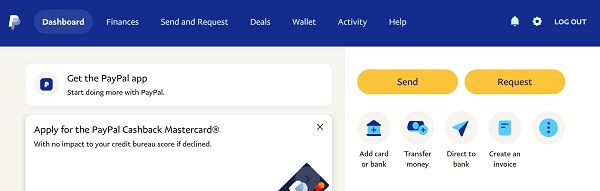
1. Log in & choose “Send and Request”
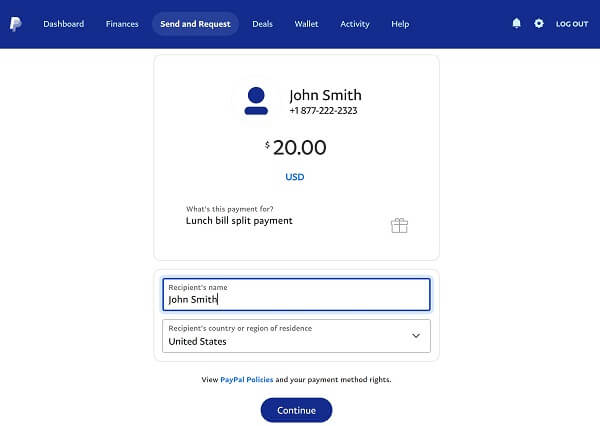
Sign in to your PayPal account and click Send and Request or Send from your dashboard.
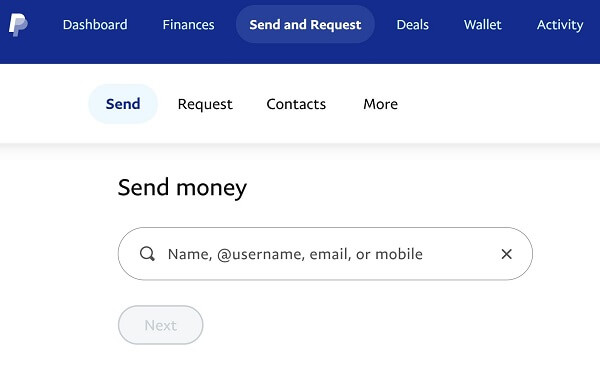
2. Select or add a recipient
Choose someone from your contacts or enter a new email, phone number, or username.
3. Enter recipient details
Type their correct contact info, name, country, and the purpose of the transfer. Click Continue.
4. Choose the payment type
-
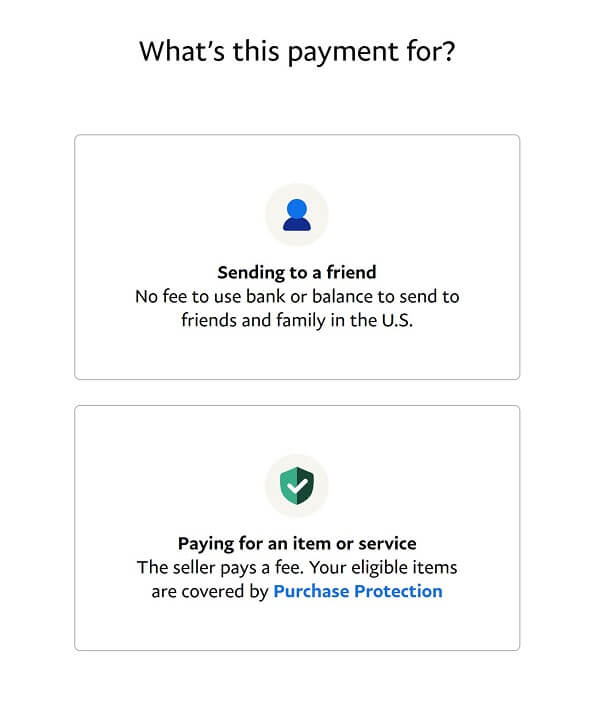
To a friend – free if paid from PayPal balance/bank and within the same country
-
For goods/services – the seller pays a fee
5. Confirm & send
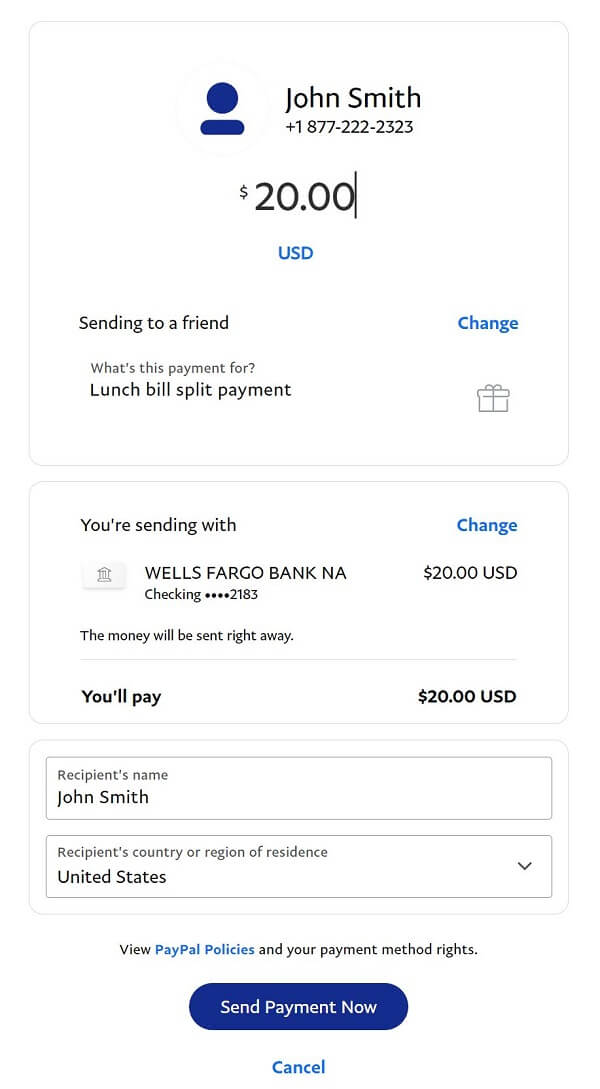
Review the amount and details, then click Send Payment Now. PayPal notifies both parties instantly.
Sending Money via the PayPal App
1. Open the app → tap “Send”
2. Enter the recipient’s name, email, phone, or username
3. Enter the amount, currency, and an optional note → tap Next
4. Choose your payment method (balance, bank, or card)
5. Review & tap “Send”
Your recipient will receive an instant notification.